最近项目需要实现在线预览pdf文件功能,找来找去,发现有个pdf.js的类库挺好用,直接用js实现在线预览。
pdf.js是开源项目,github的地址:
https://github.com/mozilla/pdf.js
根据教程指引,有以下几个步骤:
- clone源码到本地,如果是linux的话很方便,windows的话要另外下载git工具;
git地址:https://git-for-windows.github.io/
下载按默认安装方式就行,然后在开始菜单找到git打开git cmd就可以clone源码,当然,也可以直接download源码,不过国内的下载的速度实在是太慢了,可以更改hosts文件加快下载,在hosts文件添加:
185.31.16.184 github.global.ssl.fastly.net PS:其实我们使用pdf.js,只需要构建后的内容,大家可以到我的百度云盘下载:http://pan.baidu.com/s/1bDK8Zs ,下载后复制generic到tomcat的webapps下,这样访问 http://localhost:8080/web/viewer.html 能看到demo效果,跳过以下步骤,直接到项目集成。
- clone好源码后使用nodejs的包管理工具npm安装gulp构建工具,如下:
npm install -g gulp-cli 安装好gulp之后在源代码使用npm安装模块:
npm install 安装好模块后使用gulp构建本地web服务器:
gulp server 效果如下:
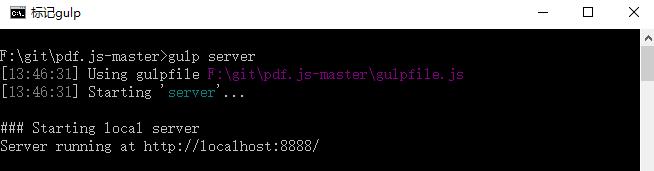
接着访问 http://localhost:8888/web/viewer.html 就能看到效果: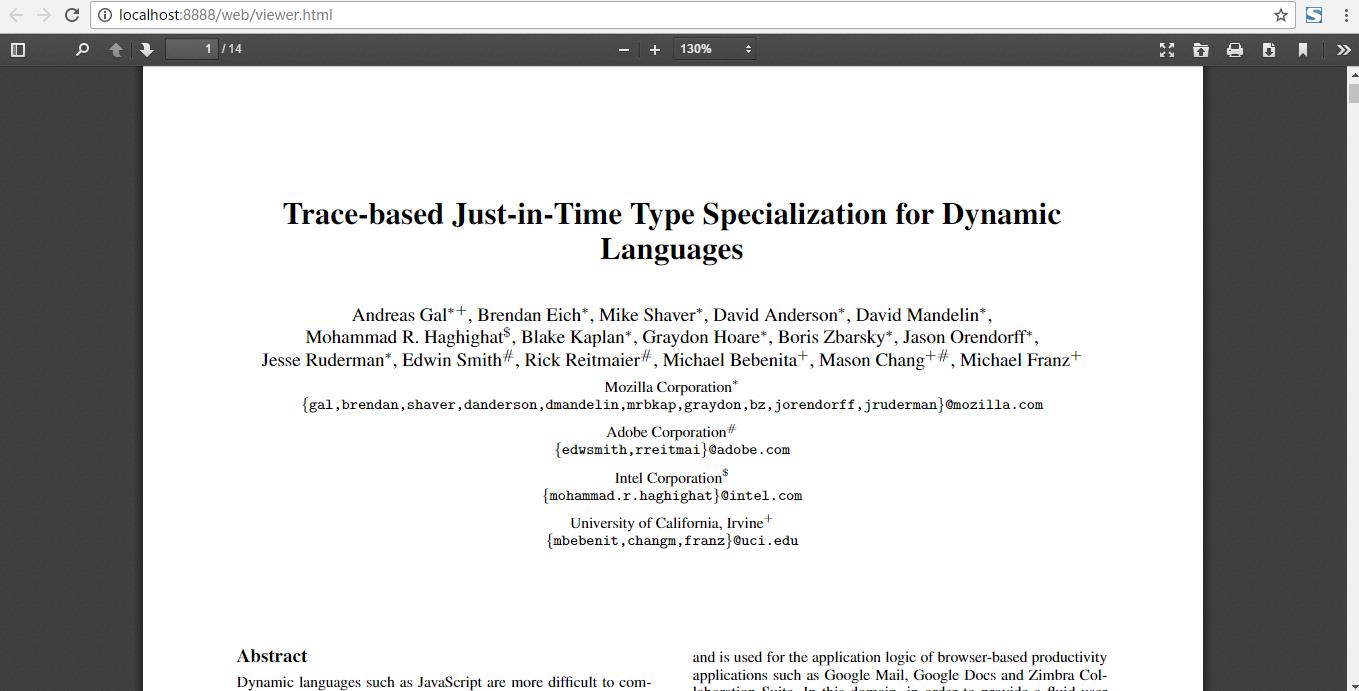
接下来使用gulp构建pdf.js,如下:
gulp generic 构建完成后项目目录下生成build文件夹: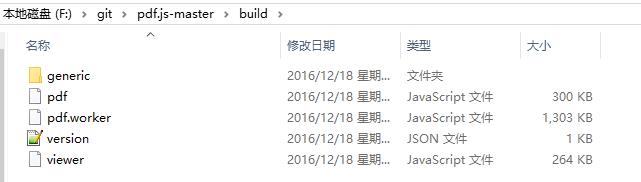
generic/web/viewer.html渲染pdf阅读器页面,而generic/web/viewer.js则是打开指定的pdf文件,打开viewer.js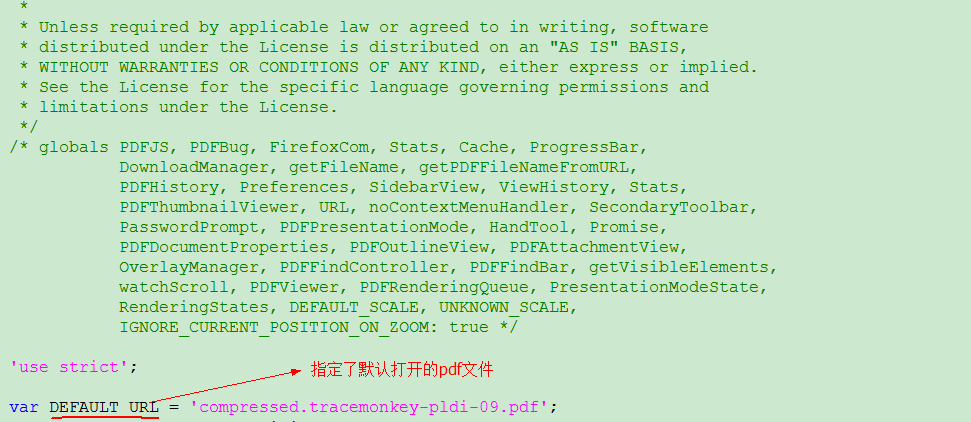
可以看到,默认打开的是generic/web/compressed.tracemonkey-pldi-09.pdf文件,再来看下面这段代码:

这样,我们就可以使用传递file形参来动态指定打开的pdf文件,如:
http://localhost:8080/generic/web/viewer.html?file=file.pdf - 接着把项目集成到web项目中, 把generic作为插件使用,目录结构如下:
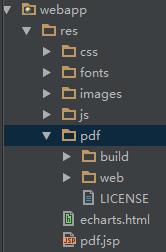
先写一个简单的jsp页面,使用iframe标签来加载pdf:
<%@ page language="java" contentType="text/html; charset=UTF-8" pageEncoding="UTF-8" %> <%@taglib prefix="c" uri="http://java.sun.com/jsp/jstl/core" %> <html> <head> <title>Title</title> </head> <body> <iframe src="<c:url value="/res/pdf/web/viewer.html" />?file=/displayPDF.do" width="100%" height="800"></iframe> </body> </html> 接着写个controller读取pdf文件并返回:
import org.apache.commons.io.IOUtils; import org.springframework.stereotype.Controller; import org.springframework.web.bind.annotation.RequestMapping; import javax.servlet.http.HttpServletResponse; import java.io.File; import java.io.FileInputStream; import java.io.OutputStream; /** * 在线预览pdf * @Auothor wzx * @Date 2016/12/18 0018 */ @Controller public class DisplayPDFController { @RequestMapping("/displayPDF.do") public void displayPDF(HttpServletResponse response) { try { File file = new File("F:/资料/pdf/JVM基础.pdf"); FileInputStream fileInputStream = new FileInputStream(file); response.setHeader("Content-Disposition", "attachment;fileName=test.pdf"); response.setContentType("multipart/form-data"); OutputStream outputStream = response.getOutputStream(); IOUtils.write(IOUtils.toByteArray(fileInputStream), outputStream); } catch(Exception e) { e.printStackTrace(); } } } 运行,在浏览器访问以下地址:
http://localhost:8080/res/pdf.jsp 效果如下:
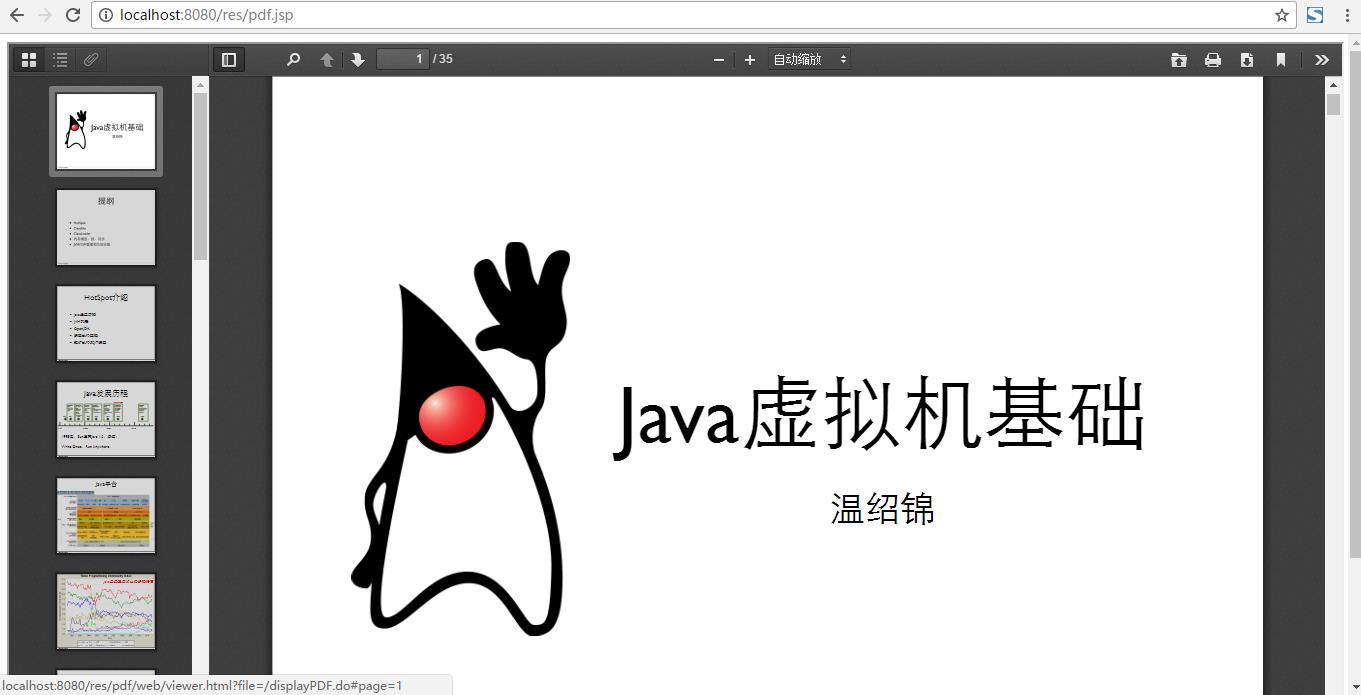
本质是访问generic/web/viewer.html,通过指定的file形参打开指定pdf文件。

热门文章
- 4月7日最新机场订阅 | 21.1M/S|2025年Shadowrocket/Clash/V2ray/SSR免费节点地址链接分享
- java集成pdf.js实现pdf文件在线预览
- 动物医院专业就业方向有哪些(动物医院属于什么专业)
- 协议书的正确格式(协议书的正确格式模板)
- 上海宠物领养中心电话 上海宠物领养中心电话号码
- 长沙市宠物领养中心有哪些 长沙市宠物领养中心有哪些地方
- 新手养猫基础知识知乎(新手养猫入门必备攻略)
- 5月3日最新机场订阅 | 20.4M/S|2025年Clash/SSR/V2ray/Shadowrocket免费节点地址链接分享
- 4月10日最新机场订阅 | 22.8M/S|2025年Shadowrocket/SSR/Clash/V2ray免费节点地址链接分享
- Android jetpack room+ViewModel+liveData 数据自动更新